An AirTag can be a useful backup identifier when your dog slips a gate, bolts from the car, or disappears into a busy neighborhood—but the holder matters more than many owners expect. A secure AirTag holder for dog collar setups should keep the tag covered, quiet, and attached through everyday scratching, rolling, rain, and leash handling. The right choice depends on your dog’s collar style, size, chewing habits, and how you plan to use the tag alongside proper ID and, when needed, GPS tracking.
The short version
Pick the holder the same way you would pick any safety attachment: start with the dog, then the collar, then the recovery plan. A tough-looking case is not automatically the best choice if it rubs your dog’s neck, twists under the chin, or makes the collar harder to buckle.
- For everyday neighborhood backup, a low-profile sleeve or enclosed collar mount is usually easier to live with than a dangling key-ring style case.
- For escape-prone dogs, an AirTag should be treated as a backup, not a complete tracking system.
- For small dogs, weight, bulk, and where the holder sits on the collar matter as much as attachment strength.
- For chewers, rough players, and dogs who roll in grass or dirt, choose a holder that covers the AirTag and does not invite chewing.
- For hiking, rural land, or remote travel, understand that AirTag location updates depend on nearby Apple devices, not a dedicated GPS signal.
Step 1: Decide what job the AirTag is doing
An Apple AirTag is not a GPS dog tracker. It works through Bluetooth and Apple’s Find My network, which means its usefulness depends heavily on whether compatible Apple devices are nearby to help report its location. In a dense suburb, apartment complex, city park, hotel lobby, or busy roadside area, that network can be genuinely helpful. On a quiet ranch road, remote hiking trail, or large rural property, it may be much less dependable.
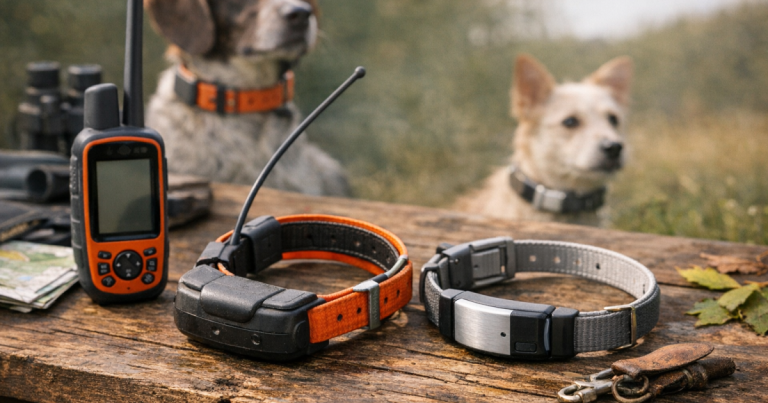
That does not make an AirTag useless for dogs. It means the holder should be chosen with realistic expectations. Think of it as a backup layer: collar ID tag, microchip, recent photos, recall practice, secure leash habits, and possibly GPS tracking for higher-risk dogs. If your dog is a fence-jumper, door-dasher, hunting companion, or off-leash trail dog, compare true GPS options as well, such as a mainstream cellular tracker like the Tractive GPS Tracker.
Step 2: Match the holder to the collar you already trust
The safest-looking AirTag holder can fail if it does not fit the collar properly. Before buying, take the collar off your dog and check three things: width, thickness, and available space. Many holders are designed around a specific collar width range. If the collar is too narrow, the holder may slide around or rotate. If the collar is too wide or too thick, the holder may stretch, sit crooked, or not close securely.
Look at the hardware on the collar too. A holder should not crowd the buckle, block the adjustment slider, interfere with the D-ring, or sit where the leash clip pulls against it. On many dogs, the best placement is opposite the leash attachment or slightly to the side, where the holder is less likely to be dragged under the chin.
If your dog wears a martingale collar, harness, training collar, or seasonal reflective collar, do not assume one holder will move cleanly between all of them. Test the holder on the exact collar your dog wears most often during real escape-risk moments: walks, yard time, road trips, daycare drop-off, or visiting family.
Step 3: Choose the attachment style that fits your dog’s behavior
Slide-on holders
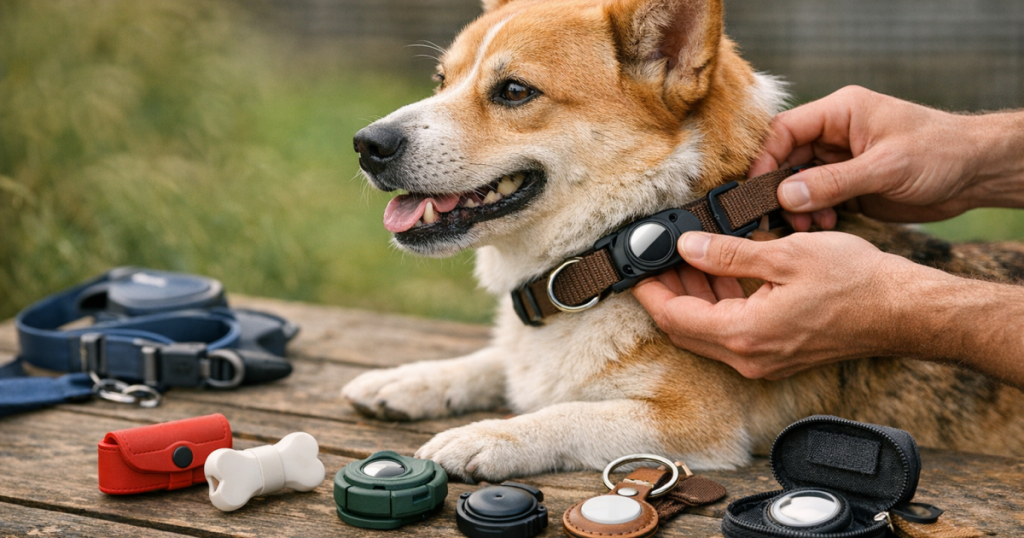
Slide-on holders wrap around the collar and keep the AirTag close to the strap. They are usually quiet, low-profile, and less likely to snag than dangling cases. They work best when the collar is a stable width and the holder fits snugly without stretching. For dogs who wrestle, roll, or move through brush, this style is often the most practical place to start.
Enclosed screw or bolt-style mounts
Some holders use a more enclosed design, sometimes with screws or a clamping structure. A mount such as the TagVault AirTag Dog Collar Mount is the kind of option owners often compare when they want the tag more protected than it would be in a simple open sleeve. With this style, check whether you can close it firmly without crushing, bending, or distorting the collar. Also think about maintenance: if the holder requires small parts, you need to be able to inspect and tighten them calmly before trips.
Dangling key-ring cases
Dangling holders can be easy to attach, but they are not always ideal for dogs. They may swing, clink against metal ID tags, tempt chewers, or catch on crate wires, brush, or furniture. They can still work for calm dogs on short outings, but they are rarely the most reassuring choice for an active escape artist.
Step 4: Check protection without trusting buzzwords
Marketing language can make a holder sound tougher than it is. Instead of relying on a single claim, look at how the AirTag is actually covered. Is the face exposed? Can mud, sand, or dog hair collect around the rim? Does the design leave an opening where a tooth could pry at the tag? Does it hold the AirTag tightly enough that it will not pop out if the collar flexes?
Water matters too, but avoid assuming every holder makes the AirTag ready for every wet situation. Dogs splash through puddles, shake after baths, nap in wet grass, and sometimes swim without warning. If water exposure is part of your dog’s normal life, verify the holder’s stated water-resistance or waterproofing claims from the manufacturer and inspect it after wet outings. A holder that traps moisture or grit against the tag may need more frequent cleaning.
Step 5: Think about comfort, not just security
A holder that stays attached but irritates your dog will not be used consistently, and consistency is what makes backup ID useful. Run your fingers around the edges. Look for hard corners, raised screws, stiff seams, or bulky shapes that press into the neck when your dog lies down.
Small dogs and short-coated dogs need extra attention here. A large, rigid holder on a narrow collar can act like a hard lump under the jaw or against the throat. For toy breeds, puppies, and seniors with thinner necks, a softer low-profile holder may be more comfortable than the toughest mount available.
Large dogs bring a different problem: force. A big dog who scratches hard, crashes through shrubs, or plays rough at the dog park can put a lot of stress on a small attachment point. For these dogs, avoid thin loops or decorative cases that look more like luggage accessories than collar gear.
Step 6: Do a simple home stress test before relying on it
Do not wait for a lost-dog scare to find out whether the holder shifts, rattles, or falls off. Test it during boring, ordinary life first.
- Fit the holder on the collar and tug it from several angles with your hands.
- Let your dog wear it indoors for an hour while resting, eating, and moving normally.
- Check whether the holder has rotated under the chin or toward the leash clip.
- Take a normal walk and inspect it again when you get home.
- After the first day, remove the collar and look for hair rubbing, skin redness, or pressure marks.
- Repeat the check after rain, bath day, dog park play, or travel.
If the holder moves a little during normal wear, that is not automatically a dealbreaker. If it twists constantly, exposes the tag, loosens hardware, or changes how the collar sits, choose a different design.
Step 7: Build it into a real lost-dog plan
The most secure holder still does only one job: keeping the AirTag attached. Recovery depends on what you do before and after your dog gets loose. Keep a readable engraved ID tag on the collar, make sure your microchip registration is current, and save recent clear photos of your dog from both sides. If your dog has a known escape pattern, write it down: front-door dash, fence corner, car unload, thunderstorm panic, wildlife chase, or guest arrival.
AirTag updates are not the same as live GPS pings, so know how you will interpret location clues. If you also use a GPS tracker, practice reading the map and recent update history before there is an emergency. The process in tracking a lost dog using recent GPS pings is useful because it explains how to turn location updates into a calm search pattern instead of chasing every point in a panic.
Common mistakes that make holders less reliable
- Putting the holder on the leash ring: The leash clip can bang, twist, or pull against the case. Use the collar strap unless the holder is specifically designed for another location.
- Choosing the smallest case for a strong dog: Compact can be good, but not if the attachment point is flimsy.
- Ignoring tag noise: Constant clinking may annoy sensitive dogs and encourage chewing or pawing at the collar.
- Using one setup for every situation: A quiet neighborhood walk, a lake day, and a cross-country road trip may call for different safety layers.
- Forgetting the battery and account side: The holder keeps the device attached, but the AirTag still needs to be maintained and connected to the correct Apple account.
When an AirTag holder is not enough
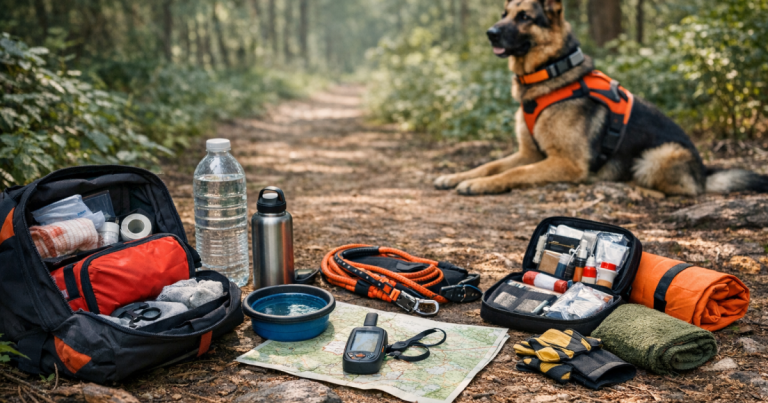
If your dog has escaped more than once, disappears into woods, chases deer, slips harnesses, or panics during fireworks, treat the AirTag as only one piece of the setup. You may need a better gate routine, a backup leash at the door, a properly fitted harness, reflective gear, a long line for recall practice, or a dedicated GPS tracker with coverage that suits your area.
For dogs with a pattern of getting out, the broader gear setup matters as much as the device on the collar. The dog safety gear guide for escape-prone dogs walks through those extra layers, from visibility to backup identification, so the collar tag is not doing all the work alone.
Things readers ask
Can I put an AirTag directly on a dog’s collar without a holder?
No, not in any dependable way. The AirTag needs a purpose-made holder or mount that keeps it attached to the collar during scratching, running, rolling, and leash handling.
Is a dangling AirTag case safe for dogs?
It can work for some calm dogs, but it is more likely to swing, make noise, catch on objects, or attract chewing. A low-profile collar mount is usually better for active dogs.
Should the AirTag replace my dog’s ID tag?
No. A visible ID tag helps a neighbor, shelter, or good Samaritan contact you immediately. An AirTag is a backup location tool, not a readable form of identification.
Where should the holder sit on the collar?
Place it where it does not interfere with the buckle, adjustment slider, or leash D-ring. For many dogs, that means opposite the leash attachment or slightly off to one side.
Do I need GPS if my dog already wears an AirTag?
Maybe. If your dog mostly stays in populated areas, an AirTag may be a useful backup. For rural land, hiking, hunting, or repeated escapes, a GPS tracker is often the more appropriate primary tracking tool.
What to remember
The best holder is the one your dog can wear comfortably every day without the AirTag popping out, swinging loose, or changing how the collar fits. Start with a secure collar, choose a low-profile mount when possible, test it during ordinary routines, and check it after rough play or wet outings.
Most importantly, keep the holder in perspective. It can preserve a useful backup signal, but it cannot guarantee recovery. Pair it with readable ID, a current microchip record, smart escape prevention, and the right tracking method for the places your dog actually goes.