A GPS tracker can point you toward your dog, but it cannot speak to the person who just found them. GPS collar ID tags close that gap by giving a neighbor, hiker, front-desk clerk, shelter, or veterinarian a simple way to contact you before a lost-dog search grows larger.
The safest setup is layered: a charged tracker for location, a visible ID tag for human contact, and a microchip as a permanent backup if the collar is lost. None of these is foolproof alone, but together they cover the messy, real-world moments that happen at gates, trailheads, rest stops, and rental cabins.
The short version
To back up a GPS collar with physical ID, put your dog’s essential contact information on a separate tag or ID collar, keep it readable, and make sure it stays on even if the tracker collar is removed, damaged, or out of battery. A GPS device helps you search; a tag helps someone else return your dog without needing your app, account, or device brand.
- Use at least one clearly engraved tag with a current phone number.
- Keep the ID on a collar your dog can safely wear with the tracker, not buried under bulky gear.
- Add a second contact number when you travel or hike away from home.
- Check tag legibility, collar fit, and tracker attachment before high-risk outings.
- Keep microchip registration current, but do not treat it as a replacement for visible ID.
Step 1: Decide what job each layer is doing
A GPS collar and a physical ID tag are not competing tools. They solve different parts of the same problem.
The GPS collar is for active searching. It can help you see movement, confirm the last known area, and decide whether to drive, walk, wait, or call for help. Its value depends on the device type, network coverage, battery state, fit, and whether the collar stays on the dog.
The ID tag is for handoff. It helps a person who finds your dog make contact quickly. That person may not know what tracker your dog is wearing, may be unable to access a lost-pet platform, or may simply see the tag first and call the number. In a recovery situation, simple often wins.
The microchip is the permanent record. It is valuable if your dog reaches a shelter or veterinary office, but it requires a scanner and current registration. A chip is important; it is not the thing a jogger on the sidewalk can read at a glance.
Step 2: Put the ID where it can survive the obvious failure points
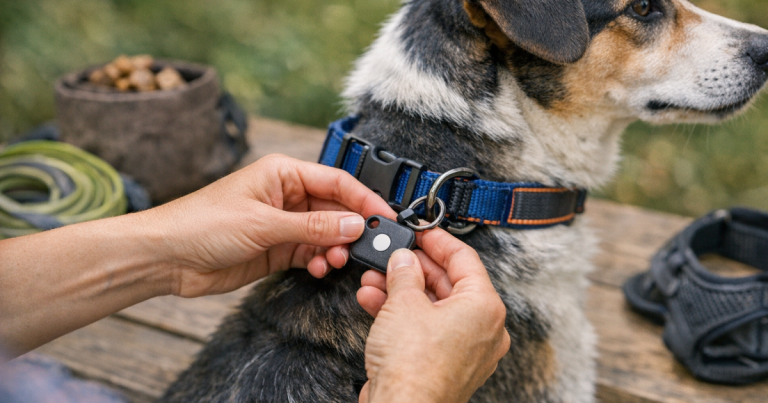
The most common mistake is hanging all identification from the same collar that carries the tracker. That is convenient, but it creates one point of failure. If the tracker collar slips off, breaks, is removed for charging, or gets snagged, the tag can vanish with it.
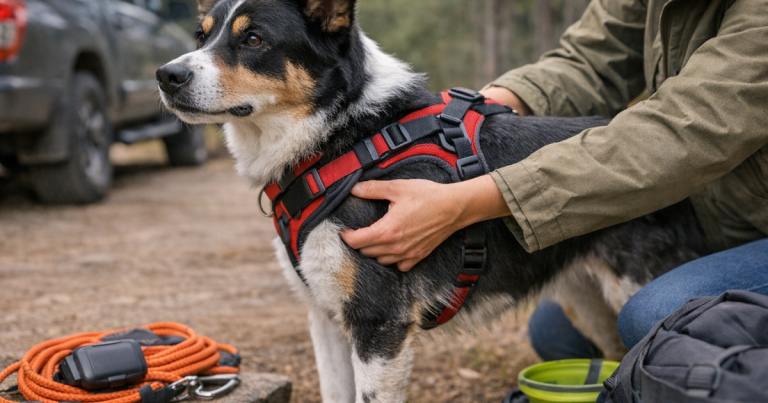
For many dogs, the cleaner setup is a dedicated flat ID collar or lightweight backup collar worn alongside the tracker collar. It should be snug enough not to slide over the head, loose enough for normal breathing and movement, and narrow or soft enough not to cause rubbing when paired with other gear. Dogs with narrow heads, thick coats, loose skin, or a history of backing out of collars need extra care here.
If your dog wears both a tracker collar and a separate ID collar, check that the hardware does not clatter into the tracker, press into the throat, or tangle with leash clips. For a deeper fit walkthrough, see how to fit a backup ID collar alongside a GPS tracker without creating a bulky setup.
Step 3: Choose tag information for speed, not decoration
A cute tag is fine. A readable tag is the priority. The best wording helps a stranger do the next right thing in under 30 seconds.
Essential tag details
- Your dog’s name, if you are comfortable including it.
- One primary cell number that is answered quickly.
- A second number for a partner, friend, pet sitter, or travel companion.
- A short phrase such as “Call owner” or “Needs medication” only if it is true and useful.
- Your city and state if space allows, especially for travel-prone dogs.
Avoid relying only on a QR code, web profile, or app-based contact page. Those can be helpful extras, but a plain phone number is still the fastest universal option. Someone standing beside a busy road with your frightened dog should not have to download anything.
If privacy is a concern, use a cell number or call-forwarding number rather than a full street address. For many owners, the strongest tag is boring in the best way: big text, deep engraving, no mystery.
Step 4: Match the tag style to your dog’s normal life
The right tag format depends less on looks and more on how your dog moves through the world.
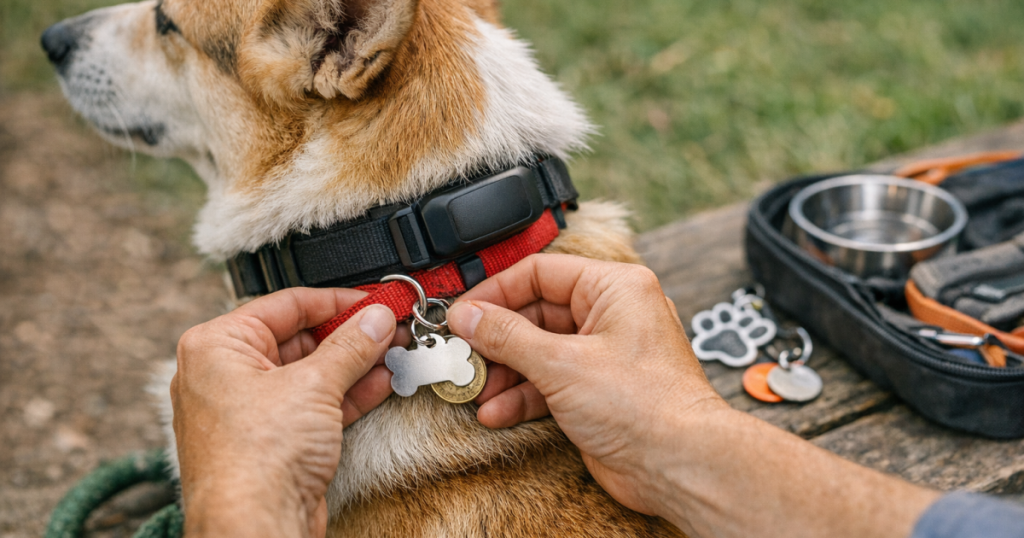
- Traditional hanging tags: Easy to see and easy to move between collars, but they can jingle, catch, or wear down over time.
- Slide-on tags: Quiet and low-profile on compatible flat collars, useful for dogs who dislike dangling tags.
- Rivet-on plates: Secure and readable on many collars, but harder to move when contact details change.
- Silicone or coated tags: Quiet and lightweight, though owners should check that printed or engraved text remains readable.
- QR or smart ID tags: Useful as an extra layer, not as the only visible contact method.
Small dogs need lighter hardware so the collar does not drag down at the neck. Large dogs and rough-and-tumble hikers need hardware that resists bending and abrasion. Long-coated dogs may need a tag placed where the phone number is not swallowed by fur.
Step 5: Build a home and travel version
Your everyday tag should not have to do every job. Travel changes the recovery picture: your dog may be found by someone who does not know your neighborhood, your usual vet may be far away, and you may be staying in a hotel, campground, or short-term rental.
For road trips, add a temporary tag or collar sleeve with your current cell number, your travel companion’s number, and, when practical, the name of your campground, hotel, or host city. Do not overcrowd the tag; the goal is reachable contact, not a travel itinerary.
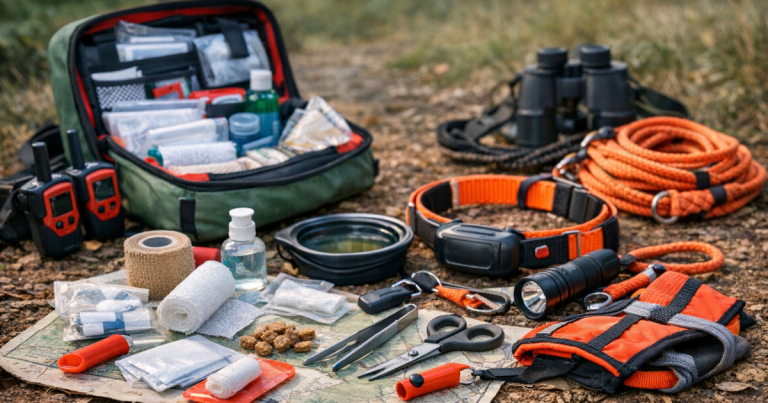
Before leaving, take clear photos of your dog wearing the tracker and ID collar. Pack spare tags, a backup collar, a recent printed photo, a slip lead, and charging gear for the tracker. Our checklist for a lost-dog emergency kit for road trips is a useful companion if your dog travels often or gets anxious in new places.
Step 6: Check the setup before it matters
Do a calm, practical inspection when your dog is relaxed, not when you are already late for the trailhead.
- Readability: Hold the tag at arm’s length. If the phone number is hard for you to read, it will be harder for a stranger.
- Noise and comfort: Watch your dog eat, lie down, shake, and turn their head. The tag should not smack the tracker or irritate the chest.
- Collar independence: Remove the GPS collar for charging. Your dog should still be visibly identifiable.
- Fit after movement: Recheck collar placement after a walk, a car ride, and a play session.
- Contact test: Call the number printed on the tag and confirm voicemail is set up and not full.
- Wear check: Look for faded printing, loose split rings, bent S-hooks, and tags rubbing against tracker mounts.
If your dog is an escape artist, test the whole system with the behavior in mind. Door dashers need ID before the front door opens. Fence jumpers need a tag that stays on during fast, awkward movement. Nervous travel dogs need identification on before the car door opens, not after arrival.
What to do if your dog goes missing anyway
If your dog slips out, use both systems at once. Open the tracker app or handheld, note the last known location, and start moving calmly toward useful information: recent pings, direction of travel, road crossings, likely hiding spots, and nearby people who might have seen the tag.
When you make calls or post alerts, mention that your dog is wearing physical ID and a tracker. That helps finders know what to look for and reassures them that the dog is actively being searched for. If your tracker supports alert zones or lost-dog notifications, use those tools without waiting for the tag to do all the work. For a more detailed recovery workflow, read our guide to using GPS alerts during a lost-dog search.
Keep your language simple when contacting neighbors or businesses: “My dog is wearing a GPS collar and an ID tag with my phone number. Please call if seen; do not chase.” A scared dog may run from helpful strangers, so the tag is only one part of a calm recovery plan.
What people usually ask
Should the ID tag go on the GPS collar or a separate collar?
A separate lightweight ID collar is usually safer because it keeps contact information on your dog when the GPS collar is charging, removed, or lost. Some dogs can comfortably wear both; others need careful fit checks to avoid rubbing or bulk.
Is a microchip enough if my dog has a GPS tracker?
No. A microchip is an important permanent backup, but it must be scanned and the registration must be current. A visible tag can work immediately for anyone close enough to read it.
Should I include my dog’s name on the tag?
That is a personal choice. Including the name can help a calm finder speak gently to your dog, but the phone number matters more. If space is limited, prioritize reachable contact details.
How often should I replace ID tags?
Replace them whenever the text becomes hard to read, the hardware weakens, or your contact details change. Many owners check tags when they update vaccines, renew licenses, or prepare for a trip.
When the system is doing its job
A good backup plan does not feel dramatic. It feels ordinary: the tracker is charged, the ID is readable, the collar fit is comfortable, and your contact number is current. That quiet redundancy is exactly the point.
When you backup GPS collar with ID tags, you are not admitting the tracker might fail; you are planning for the real world, where collars come off, batteries run down, people find dogs before apps refresh, and the fastest recovery sometimes starts with one clear phone number on a tag.