Gate moments are rarely dramatic until they are: the latch misses, your dog noses through, and suddenly every second feels loud. A Tile Pro dog collar setup can be a helpful backup for nearby searching, but only if the tracker is attached so it cannot swing, snag, rub, or become a chew target.
Think of it as one small layer in a bigger lost-dog plan. The attachment needs to be secure enough for daily movement, gentle enough for your dog to ignore, and honest about what a Bluetooth tracker can and cannot do.
In brief
The safest way to attach a Tile Pro to a dog collar is to use a snug, low-profile holder that wraps around the collar strap, position it away from the throat and leash ring, and test it during normal movement before relying on it outside. Avoid loose dangling setups for dogs who roughhouse, squeeze through fences, scratch at collars, or chew accessories.
A Tile Pro is a Bluetooth item tracker, not a GPS dog tracker. It may help you locate a dog nearby or when the tracker is detected through Tile’s finding network, but it should not replace a readable ID tag, a secure collar or harness, supervision, or a true GPS tracker for higher escape risk.
Step 1: Start with the collar, not the tracker
Before adding any device, check whether the collar itself is safe for your dog’s shape and behavior. A tracker attached to a loose collar can disappear with the collar, and a tracker on an uncomfortable collar may make a dog paw, twist, or back out harder.
- Fit the collar high enough that it does not slide over the widest part of the head during backward pressure.
- Make sure you can fit two fingers under the collar without leaving it so loose that it rotates freely.
- Look for fraying, stretched holes, weak buckles, rusted hardware, or cracked plastic before attaching anything extra.
- Check that your dog can lower their head, turn, sniff, and rest without the collar pressing into the throat.
Dogs with slim heads, thick necks, or a habit of reversing out of gear need extra attention here. If your dog has the classic “back up and vanish” move, read our no-slip collar guide for narrow-headed dogs before deciding where any tracker should sit.
Step 2: Use a holder that keeps the Tile close to the strap
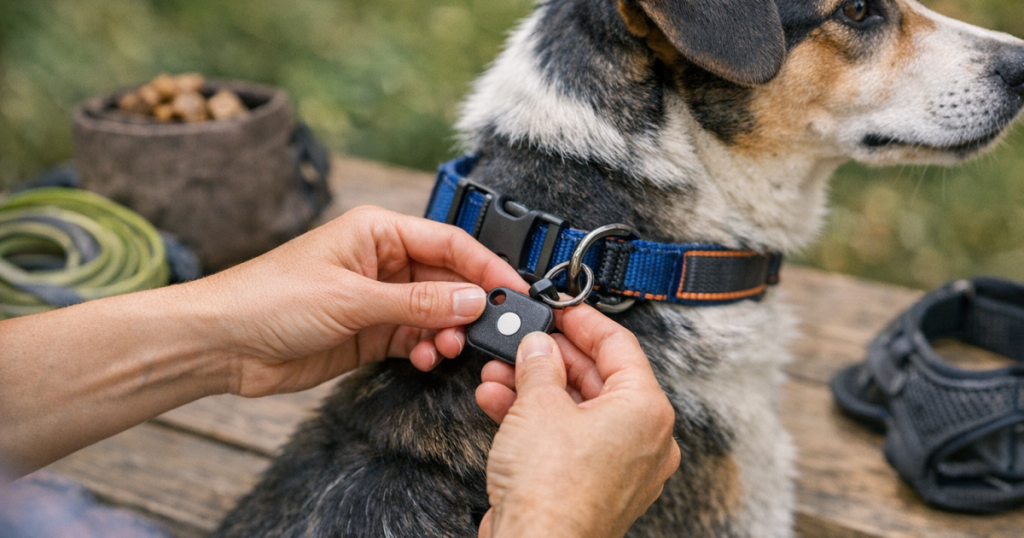
The Tile Pro has a keyring hole, but a dangling keyring is not automatically the safest dog-collar setup. A tracker that swings can hit tags, bounce against the chest, catch on crate bars or brush, and tempt a mouthy dog to grab it. The calmer setup is usually a collar-mounted holder that keeps the device flat against the strap.
Look for a holder made for the current shape of Tile Pro you own, not just “a tracker” in general. The fit should be snug enough that the tracker cannot slide out during running, rolling, or scratching. If the holder uses elastic, silicone, hook-and-loop material, snaps, or a hard shell, inspect the closure points carefully before every outdoor use.
A split ring can still be useful as a backup connection in some setups, but it should not create a long swinging pendant. If you do use a ring, choose one with smooth edges, close it fully, and make sure it cannot work through the collar fabric or trap fur.
Step 3: Choose the safest position on the collar
Placement matters more than it looks. The tracker should ride where your dog is least likely to chew it, scratch it loose, or press it into the ground while lying down.
- Prefer the side or upper side of the collar, where the device can sit flat and away from the airway.
- Avoid placing it directly under the chin, where it may hit food bowls, water bowls, or the chest.
- Do not attach it to the same ring that takes leash pressure if that makes the tracker twist or jam against the clip.
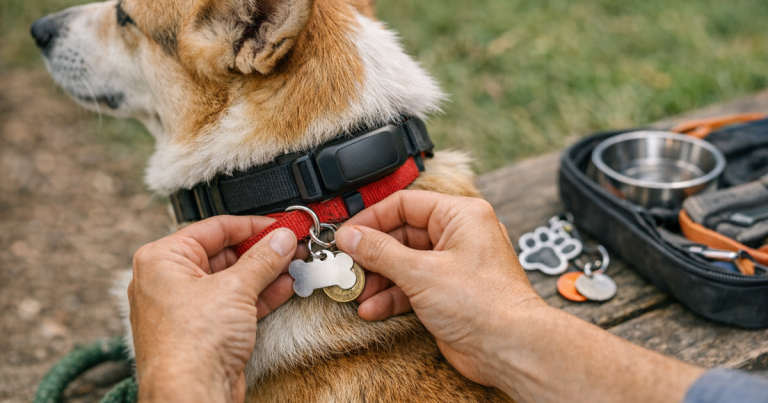
- Keep ID tags readable and separate enough that they do not constantly slap the Tile during movement.
- For very small dogs, check that the tracker does not dominate the collar or pull it off-center.
After placing it, watch your dog walk across the room, turn around, shake, sit, lie down, and scratch. If the device spins to the throat, bumps the jaw, or causes your dog to freeze and paw at the collar, change the placement before going outside.
Step 4: Check the whole walking setup
A tracker can help after a scare, but the best outcome is still preventing the escape. Once the Tile is attached, clip on the leash and look at the entire gear system as your dog will actually wear it outside.
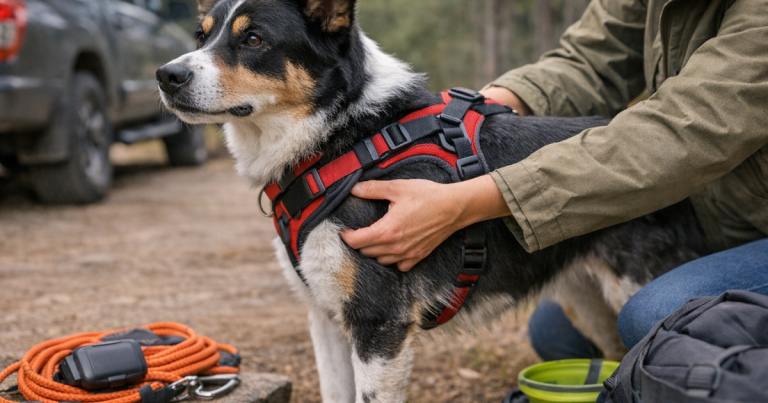
If your dog wears both a collar and harness, make sure the Tile does not get trapped between straps or rub under the harness neckline. For dogs who pull, twist, or spook at trucks, it is also smart to check a dog harness for escape gaps before a walk so the collar accessory is not the only thing standing between you and a loose dog.
- Clip the leash on and apply gentle leash tension in the directions your dog usually pulls.
- Check whether the tracker hits the leash clip, buckle, ID tags, or harness hardware.
- Run your hand under the collar to feel for pressure points created by the holder.
- Watch for fur pulling around the holder, especially on long-coated dogs.
- Repeat the check after the first 10 minutes of wear, because collars can rotate once a dog starts moving.
Step 5: Do a controlled home test before you need it
Do not wait for a real escape to find out whether the attachment works. Test the setup in a fenced yard, hallway, or quiet room where your dog can move normally without risk.
First, confirm that the Tile is set up in the Tile app according to Tile’s current instructions. Then test the ring feature in a calm setting. Some dogs ignore the sound; others may startle, look around, or try to mouth the collar. If your dog reacts strongly, practice gradually and do not use the sound right beside their ears as a surprise.
Next, let your dog do ordinary dog things: sniff, trot, roll on a rug, drink water, scratch an ear, hop into the car, and nap. Afterward, inspect the holder. It should not have shifted open, stretched, cracked, trapped hair, or left a mark on the skin.
Step 6: Know what Tile Pro can realistically do
A Bluetooth tracker is most useful when the dog is close enough for Bluetooth detection or when another compatible device in the finding network helps update its location. That is different from a dedicated GPS tracker, which is designed around location tracking rather than item finding. Neither tool is magic, and both depend on real-world conditions.
For an indoor hider, a dog who slips into a neighbor’s open garage, or a collar that falls somewhere nearby, Tile Pro may be genuinely useful. For a dog sprinting across a rural property, chasing deer into thick cover, or traveling beyond nearby Bluetooth detection, it is not the recovery layer you want to rely on alone.
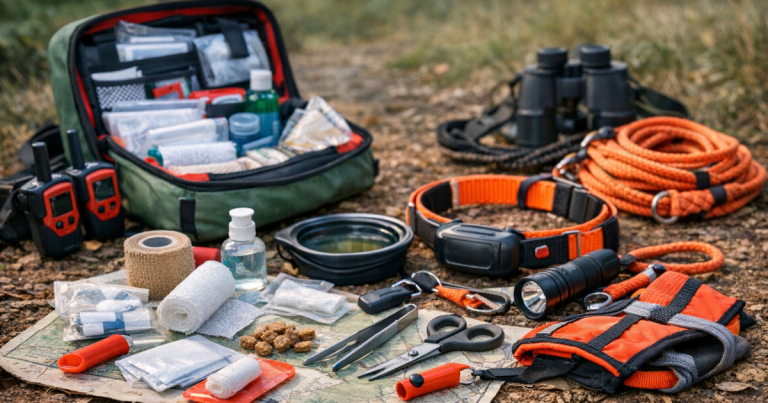
This is where the Tile Pro dog collar idea needs clear boundaries: use it as a backup locator, not as your whole lost-dog strategy. A readable ID tag, current microchip registration, recent photos, secure fencing, and, for higher-risk dogs, a GPS tracker all play different roles.
Step 7: Make the setup harder to lose
Small details decide whether the tracker is still on the collar at the end of the day. Add a quick inspection to the routines you already have: before walks, after daycare, after hikes, after grooming, and after any big wrestling session with another dog.
- Check the holder opening or closure every time you buckle the collar.
- Remove the tracker before heavy chewing, unsupervised crate time, or rough play if your dog targets collar accessories.
- Keep the collar clean and dry according to the collar and holder materials, rather than assuming the whole setup can handle water.
- After swimming, mud, or heavy rain, inspect both the Tile and the holder and follow Tile’s current care guidance.
- Replace stretched, cracked, or loose holders instead of trying to patch them with tape.
If your dog is a digger, fence tester, or yard escape artist, collar gear is only part of the response. It helps to pair the attachment check with a recovery routine, including our guide on what to do when a dog digs under the fence.
Common mistakes that make a Tile less safe
Letting it dangle like a keychain
This is the easiest setup, but it is not always the safest. Dangling hardware can snag, swing, and make noise. For calm dogs on quiet neighborhood walks, a short, secure attachment may be fine; for brush, crates, dog parks, or athletic play, a flat holder is usually the neater answer.
Putting it on an already loose collar
Extra weight and movement can make a loose collar rotate more. If the collar can slide over your dog’s ears when they back up, fix that problem before adding a tracker.
Assuming it replaces identification
Anyone who finds your dog should be able to read a phone number without needing an app, a charged phone, or technical knowledge. Keep a physical ID tag on the collar even if you use Bluetooth or GPS tracking.
Ignoring your dog’s reaction
A dog who keeps scratching, freezing, hiding, or chewing is giving useful feedback. The attachment may be rubbing, too bulky, too noisy, or simply new. Adjust the position, shorten wear sessions, or remove it if your dog cannot relax with it on.
Straight answers
Can I attach Tile Pro directly to the collar ring?
You can physically attach it through the keyring hole, but that is not the safest choice for every dog. A close-fitting collar holder is usually better for dogs who run, wrestle, squeeze through tight gaps, or chew dangling objects.
Is Tile Pro a GPS tracker for dogs?
No. Tile Pro is a Bluetooth item tracker. It can be useful for nearby finding and network-assisted location updates, but it does not work like a dedicated GPS dog tracker.
Should my dog wear it all day?
Only if the collar fit, holder, skin comfort, and your dog’s behavior support that. Remove it for unsupervised situations where collar accessories could be chewed, snagged, or damaged.
Can I use it on a puppy?
Be cautious. Puppies grow quickly, chew constantly, and can be surprisingly talented at turning accessories into snacks. Check fit often, avoid bulky setups, and supervise closely.
Main lessons
The safest attachment is quiet, flat, secure, and boring to your dog. If the Tile does not swing, rub, snag, or invite chewing, you have a much better chance of keeping it on the collar when it matters.
Just as important, keep the technology in perspective. Tile Pro can be a handy backup for certain close-range situations, but lost-dog recovery works best when gear, fit, training, ID, and a calm plan all support each other.