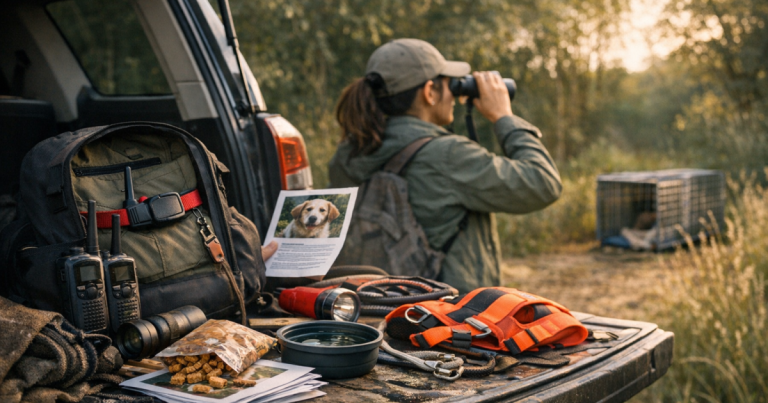
A dog who disappears in a neighborhood with strong coverage creates one kind of panic; a dog who bolts near timber, canyons, farmland, or a mountain trail creates another. Choosing a dog tracker for poor cell service starts with one honest question: will the tracker still help when your phone barely loads a map?
The answer is usually not one device for every situation. You are matching your dog’s escape pattern, your terrain, and your recovery plan to the right tracking method.
What to know first
For weak coverage, the short answer is this: do not judge a tracker only by the app, the map, or the marketing claim. Judge it by how it communicates after your dog leaves the easy part of the property.
- Cellular GPS trackers can be very useful when the tracker has a working mobile network connection, but they may struggle where cell service is thin or blocked.
- Handheld radio-based systems are often better suited to remote fields, hunting land, and off-grid outings because they do not rely on the same cell connection to report location.
- Bluetooth tags and smart tags are best treated as backup ID tools, not primary GPS recovery tools for open land.
- Old-school ID still matters. A visible tag, microchip, and current contact details help when a person finds your dog before technology does.
No tracker is a guarantee. A calm plan, a well-fitted collar, charged equipment, tested alerts, and realistic coverage expectations are what turn a device into a useful recovery tool.
Step 1: Map the places your dog actually goes
Start with your real routine, not the most dramatic scenario. A suburban door-dasher who usually runs three blocks needs a different setup than a hound who ranges across wooded property or a trail dog who hikes in valleys where your phone drops to one bar.
Write down the places where you would most need help:
- Your yard, driveway, and street entrances
- Nearby woods, fields, drainage areas, or parks
- Vacation cabins, campgrounds, and rural relatives’ properties
- Hiking routes where coverage changes by elevation
- Hunting land or large acreage where you may be far from roads
Then check your phone’s real behavior in those locations. Does it lose service completely, or does it only slow down? Can you send a text? Can maps refresh? A cellular tracker has its own hardware and service relationship, so your phone is not a perfect proxy, but your day-to-day signal gives you a useful warning sign.
Step 2: Choose the tracking method before choosing the brand
The most common mistake is shopping by feature list before understanding the communication type. For poor coverage, the method matters more than the prettiest app screen.
Cellular GPS trackers
Cellular GPS dog trackers use satellite positioning to estimate location, then use a cellular network to send that location to an app. They are convenient for everyday pet owners because the phone app can show location, alerts, and history when coverage is available.
The trade-off is simple: if the tracker cannot connect to its supported network, updates may be delayed or unavailable until connection improves. That does not make cellular trackers bad. It means they are best for places where coverage is mostly reliable, such as towns, suburbs, many travel routes, and some rural areas with decent carrier reach.
If you are considering a mainstream cellular option, compare current network requirements, subscription terms, coverage maps, fit, and attachment style. The Tractive GPS Tracker for Dogs is one example readers often evaluate for everyday tracking, but it should still be judged against the specific places where your dog might run.
Radio or handheld GPS systems
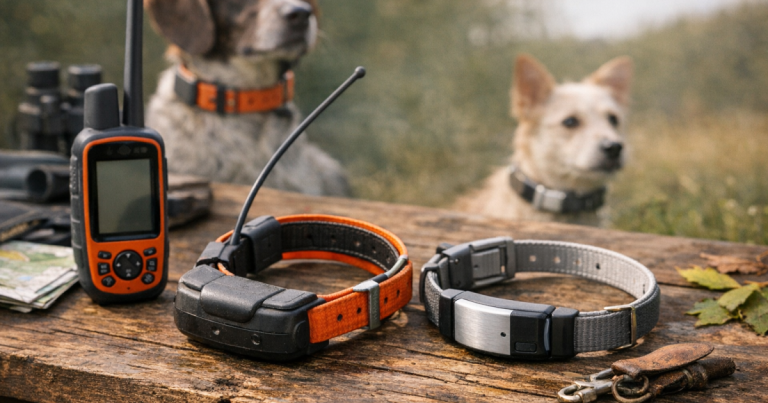
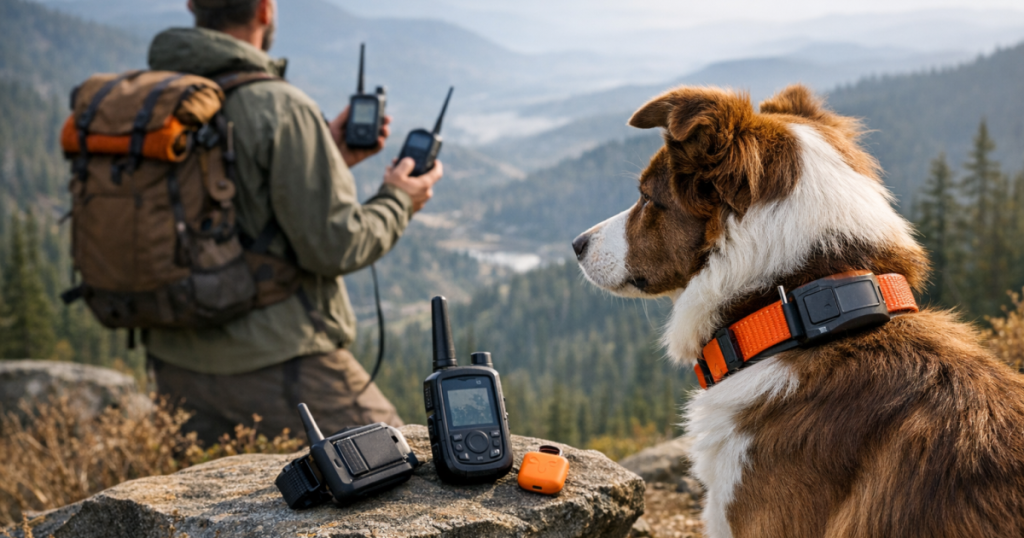
For large rural properties, hunting dogs, and off-road work, handheld GPS systems that communicate between a collar and a dedicated handheld unit may be a better fit. They are less app-centered and more field-oriented. The trade-off is that they can be bulkier, more involved to learn, and more than many casual pet owners need for a fenced suburban yard.
Systems such as the Garmin Alpha 100 and TT 15X Bundle are worth studying if your main fear is a dog disappearing beyond dependable cell service. Before buying, verify the current product details, collar size, intended use, range claims, map needs, and whether the system is appropriate for your dog’s size and activities.
Bluetooth and community-finding tags
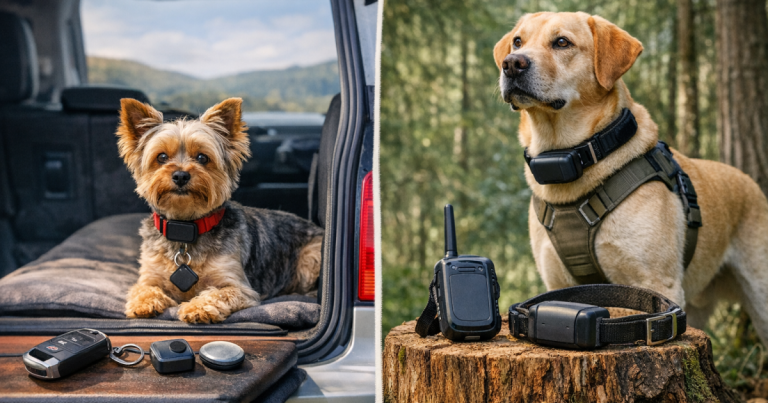
Bluetooth-style tags can be useful around the house, in a campground, or as a low-profile backup, but they are not the same as live GPS tracking. They depend on short-range detection or nearby phones in a network, depending on the product type.
That can help if your dog is found near people. It is far less reassuring if your dog is running through empty pasture, thick woods, or a canyon road with no one nearby. If you are weighing this kind of tool, read a clear explanation like the Pawscout Smart Pet Tag review so you understand where it helps and where it does not.
Step 3: Match the tracker to the escape scenario
A good choice depends on the moment you are trying to solve. Think through the most likely first ten minutes after your dog gets loose.
- Fence jumper in a semi-rural yard: Look for fast escape alerts, reliable collar fit, and a tracking method that works around your property. Test the boundary area, not just the porch.
- Door dasher near town: A cellular GPS tracker may be enough if coverage is strong and alerts arrive quickly. Add visible ID because neighbors may spot your dog before you do.
- Trail dog in patchy mountain coverage: Consider whether a phone-app tracker will update in valleys. For frequent remote hikes, a field-oriented system may deserve serious consideration.
- Hunting or working dog on acreage: Prioritize systems designed for field tracking, handler visibility, durable collar attachment, and learning the handheld before the first outing.
- Small dog who slips harnesses: Fit and comfort matter as much as technology. A bulky tracker on a tiny neck may be unsafe, annoying, or easy to dislodge.
This is also where backup gear earns its place. A sturdy engraved tag such as a GoTags Stainless Steel Pet ID Tag can help a finder call you directly. A visibility accessory like the Nite Ize NiteHowl Rechargeable LED Safety Necklace can make a dog easier to spot near roads or campsites after dark. Neither replaces tracking, but both improve the odds that a human can help.
Step 4: Check coverage claims the right way
Coverage maps are helpful, but they are not promises that every hollow, barn, tree line, or trailhead will behave the same. When reviewing a cellular tracker, check which network or networks it relies on in the US, whether the device requires a subscription, and how it behaves when signal returns after a dead zone.
For remote systems, look at the type of handheld connection, the terrain assumptions behind any distance claims, and whether you can comfortably carry and use the receiver under stress. Range can be affected by hills, trees, buildings, weather, and how the collar sits on the dog.
Battery claims also deserve context. A tracker that performs well during normal daily check-ins may drain faster in active live-tracking mode, cold weather, or repeated signal searching. Before trusting any device for a long hike or weekend trip, charge it fully and test it during a normal outing close to home.
Step 5: Test during the first 48 hours
The safest time to learn a tracker’s weaknesses is before your dog is missing. Once the device arrives, treat the first two days as a shakedown period.
- Fit the tracker on the collar or harness your dog actually wears outside.
- Walk the edge of your property and check whether alerts trigger where you expect.
- Drive or walk to a known weak-signal spot and see how updates behave.
- Confirm that every caregiver can open the app, read the map, and understand alerts.
- Practice switching from “watching the dot” to calling neighbors, checking roads, and searching likely hiding places.
- Inspect the attachment after play, rolling, swimming, brush, and leash pressure.
If your dog wears a harness on hikes, make sure the tracker does not twist, dig, or interfere with shoulder movement. A well-fitted harness such as the Ruffwear Front Range Harness may be part of a safer setup for some dogs, but you still need to confirm how your chosen tracker attaches and whether it stays secure.
Step 6: Build a layered recovery plan
Poor cell service rewards redundancy. That does not mean buying every gadget. It means making sure one weak point does not break the whole plan.
- Use a GPS or field tracker that matches your most likely environment.
- Keep a current engraved ID tag on your dog’s collar.
- Make sure your dog’s microchip registration is updated with your current phone number.
- Save recent clear photos, including side view, face, markings, and collar details.
- Know who to call first: nearby neighbors, campground staff, trail companions, animal control, or local shelters.
- Do not rely on recall alone when fear, prey drive, fireworks, or wildlife are involved.
The goal is not to replace training or prevention. The goal is to shorten the time between “my dog is gone” and “I know where to search next.”
Common questions
Will any GPS dog tracker work with no cell service?
A cellular GPS tracker may not send live updates without a supported network connection. For no-service areas, look at handheld field systems that do not depend on the same phone network, and verify the current operating requirements before buying.
Is an AirTag enough for a rural dog?
An AirTag can be a useful backup in populated areas, but it is not a live GPS dog tracker. In sparse rural areas, it may not help unless compatible Apple devices come within range.
Should I choose a bigger tracker for better performance?
Not automatically. Size, antenna design, attachment, battery, and communication method all matter. A tracker that is too bulky for your dog may shift, rub, or get removed during play.
How should I test a tracker before a camping trip?
Use it on local walks first, then test it at a known weak-signal location. Confirm charging routine, alert timing, collar attachment, caregiver access, and what happens when signal drops and returns.
Do subscriptions matter more in poor coverage?
They matter because many cellular trackers require a service plan to transmit location. Before subscribing, verify network coverage in your area and understand what features depend on active service.
Key takeaways
For poor cell service, the best choice is rarely the most convenient-looking app by itself. Start with terrain, distance, dog behavior, and who will be searching. Cellular trackers can be excellent for everyday safety where coverage is dependable. Handheld field systems may make more sense for remote land, hunting, or repeated off-grid outings. Bluetooth-style tags and visible ID are helpful backups, not replacements for true tracking.
If you are still narrowing options, compare devices by tracking method, coverage dependency, subscription structure, fit, and intended use before you buy. The right setup should feel boring on normal days and genuinely useful on the one day your dog takes off.